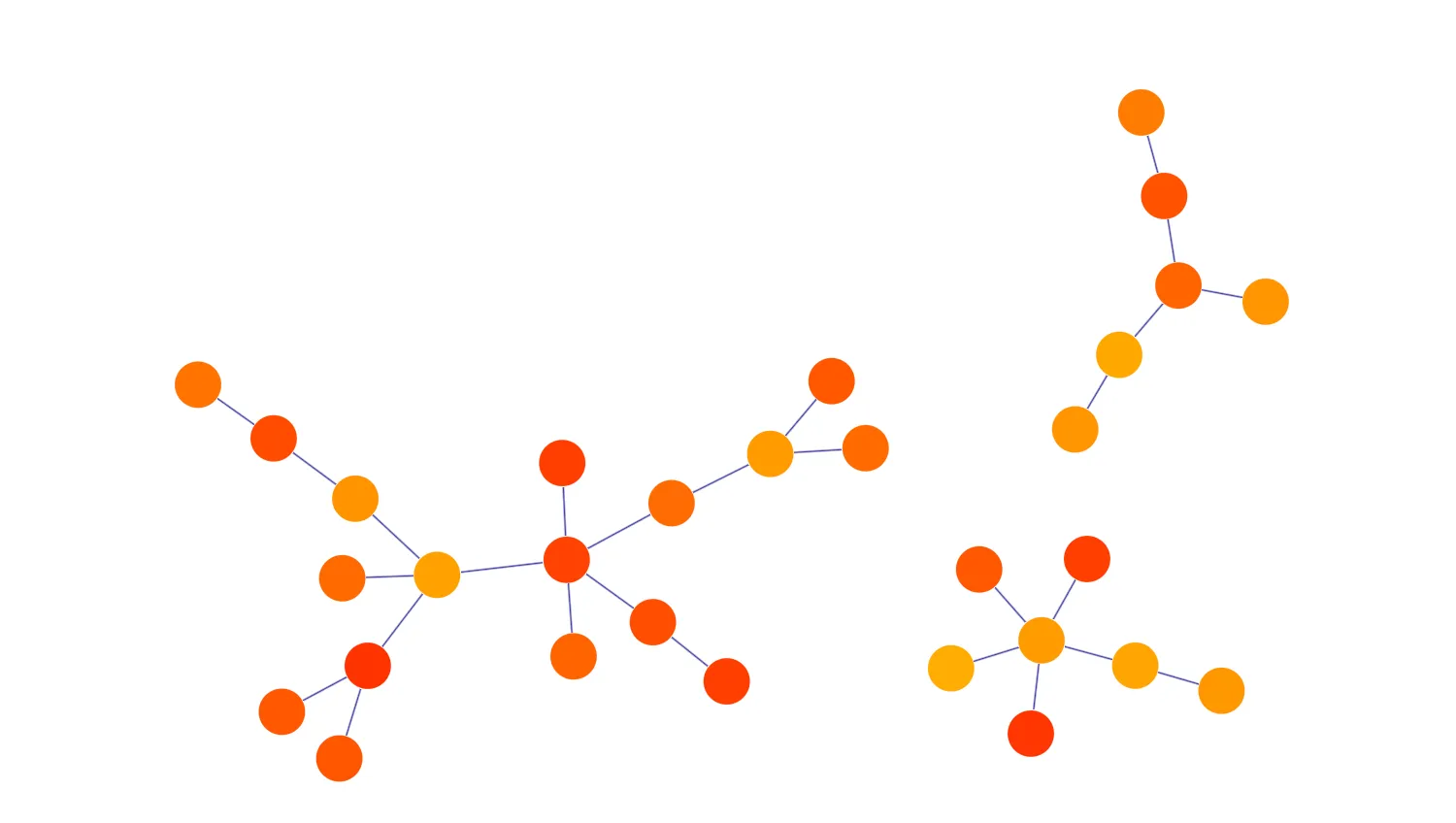
Undo and Redo are reassuring additions to a KeyLines user experience, providing a simple way to roll back through recent actions and restore a previous version.
This example shows how to undo and redo chart changes made by the user. Each new action saves a chart state to the Undo stack. Reverting an action will add it to the Redo stack.
There is no limit to the number of actions you can save in the Undo/Redo stack.
Key functions used:
import KeyLines from "keylines";
import dataGenerator from "./data";

let chart;
const undoStack = [];
const redoStack = [];

const addButton = document.getElementById("add-node");
const removeButton = document.getElementById("remove-node");
const undoButton = document.getElementById("undo");
const redoButton = document.getElementById("redo");
const layoutButton = document.getElementById("layout");

function disableButtons(isDisabled) {
  addButton.disabled = isDisabled;
  removeButton.disabled = isDisabled;
  undoButton.disabled = isDisabled;
  redoButton.disabled = isDisabled;
  layoutButton.disabled = isDisabled;
}

function refreshUI() {
  disableButtons(false);

  undoButton.value = `Undo (${undoStack.length})`;
  undoButton.disabled = undoStack.length === 0;

  redoButton.value = `Redo (${redoStack.length})`;
  redoButton.disabled = redoStack.length === 0;

  // disables "remove button" if no more items to remove
  removeButton.disabled = chart.serialize().items.length === 0;
}

async function undoStackAdd(callbackFunction) {
  // save the current chart state into the undo stack
  undoStack.push(chart.serialize());
  // clear the redo stack
  redoStack.length = 0;

  if (callbackFunction) {
    await callbackFunction();
  }
  refreshUI();
}

async function expandNewItems() {
  disableButtons(true);
  // If a node is selected then adds new nodes to that node, otherwise adds to a random node
  const selectedIds = chart.selection();
  const selectedId =
    selectedIds.length > 0 && chart.getItem(selectedIds[0]).type === "node"
      ? selectedIds[0]
      : undefined;

  await chart.expand(dataGenerator.newNodeAndLink(selectedId), {
    time: 500,
    layout: { name: "organic", fix: "all" },
  });
  addButton.disabled = false;
  disableButtons(false);
}

function removeNode() {
  // If a node is selected then removed that node, otherwise remove random node
  const selectedIds = chart.selection();
  const selectedId = selectedIds[0] || dataGenerator.getRemoveNodeId(chart);
  chart.removeItem(selectedId);
}

function initialiseInteractions() {
  chart.load(dataGenerator.makeChart());
  chart.layout("organic");

  undoButton.addEventListener("click", () => {
    redoStack.push(chart.serialize());
    chart.load(undoStack.pop());
    refreshUI();
  });

  redoButton.addEventListener("click", () => {
    undoStack.push(chart.serialize());
    chart.load(redoStack.pop());
    refreshUI();
  });

  chart.on("prechange", ({ type }) => {
    if (/(move|offset)/.test(type)) {
      // Before moving a link / node, we save the chart state in the undo stack
      undoStackAdd();
    }
  });

  layoutButton.addEventListener("click", async () => {
    // Disable buttons to stop button used while layout happening
    disableButtons(true);
    await undoStackAdd(() => chart.layout("organic"));
    refreshUI();
  });

  addButton.addEventListener("click", () => {
    undoStackAdd(expandNewItems);
  });

  removeButton.addEventListener("click", () => {
    undoStackAdd(removeNode);
  });
}

async function loadKeyLines() {
  const options = {
    logo: { u: "/public/images/Logo.png" },
    handMode: true,
  };
  chart = await KeyLines.create({ container: "klchart", options });

  initialiseInteractions();
}

window.addEventListener("DOMContentLoaded", loadKeyLines);const nodeIds = [];
let nextNodeId = 0;
function refreshNodeIds(chart) {
nodeIds.length = 0;
chart.each({ type: "node" }, (item) => {
if (item.type === "node") {
nodeIds.push(item.id);
}
});
}
function randomColor() {
const green = 50 + Math.floor(125 * Math.random());
return `rgb(255, ${green}, 0)`;
}
function newNode() {
const id = nextNodeId++;
nodeIds.push(id);
return {
id,
type: "node",
c: randomColor(),
};
}
function newLink(nodeId1, nodeId2) {
const id1 =
nodeId1 || nodeIds[`${Math.round(Math.random() * (nodeIds.length - 1))}`];
const id2 =
nodeId2 || nodeIds[`${Math.round(Math.random() * (nodeIds.length - 1))}`];
return {
type: "link",
id: `${id1}-${id2}`,
id1,
id2,
c: "rgb(0,0,127)",
};
}
function makeItemsList() {
nodeIds.length = 0;
nextNodeId = 0;
const items = [];
for (let i = 0; i < 30; i++) {
const node = newNode();
items.push(node, newLink(node.id));
}
return items;
}
const dataGenerator = {
makeChart() {
return {
type: "LinkChart",
items: makeItemsList(),
};
},
newNodeAndLink(selectedId) {
const newNodeData = newNode();
const newLinkData = newLink(newNodeData.id, selectedId);
return [newNodeData, newLinkData];
},
getRemoveNodeId(chart) {
refreshNodeIds(chart);
const index = `${Math.round(Math.random() * (nodeIds.length - 1))}`;
const id = nodeIds[index];
nodeIds.splice(index, 1);
return id;
},
};
export default dataGenerator;<!doctype html>
<html lang="en">
<head>
<meta charset="utf-8">
<title>Undo/Redo</title>
<link rel="stylesheet" type="text/css" href="@ci/theme/kl/css/keylines.css">
<link
rel="stylesheet"
type="text/css"
href="@ci/theme/kl/css/minimalsdk.css"
>
<link
rel="stylesheet"
type="text/css"
href="@ci/theme/kl/css/sdk-layout.css"
>
<link rel="stylesheet" type="text/css" href="@ci/theme/kl/css/demo.css">
<link
rel="stylesheet"
type="text/css"
href="@ci/theme/kl/css/examples-chrome.css"
>
</head>
<body>
<div class="chart-wrapper demo-cols">
<div id="lhs" class="flex1">
<div
id="lhsVisual"
class="toggle-content is-visible"
style="width: 100%; height: 100%"
>
<div id="klchart" class="klchart"></div>
</div>
</div>
<div class="rhs citext" id="demorhscontent">
<div class="tab-content-panel">
<div id="controlsTab" class="toggle-content is-visible tabcontent">
<p>
This demo illustrates how to build an Undo/Redo stack with a
KeyLines chart. Drag nodes to new positions or add new ones with
the buttons below before trying out the Undo and Redo actions.
</p>
<form id="rhsForm" autocomplete="off" onsubmit="return false;">
<div>
<div class="cicontent">
<legend>Controls</legend>
<div>
<input
class="btn span2"
type="button"
value="Undo (0)"
disabled
id="undo"
><input
class="btn span2"
type="button"
value="Redo (0)"
disabled
id="redo"
>
</div>
<div style="margin-top: 14px">
<input class="btn" type="button" value="Layout" id="layout">
</div>
<div style="margin: 8px 0">
Actions on nodes:
<div>
<input
class="btn span2"
type="button"
value="Add"
id="add-node"
><input
class="btn span2"
type="button"
value="Remove"
id="remove-node"
>
</div>
</div>
</div>
</div>
</form>
</div>
</div>
</div>
</div>
<script type="module" src="./code.js"></script>
</body>
</html>