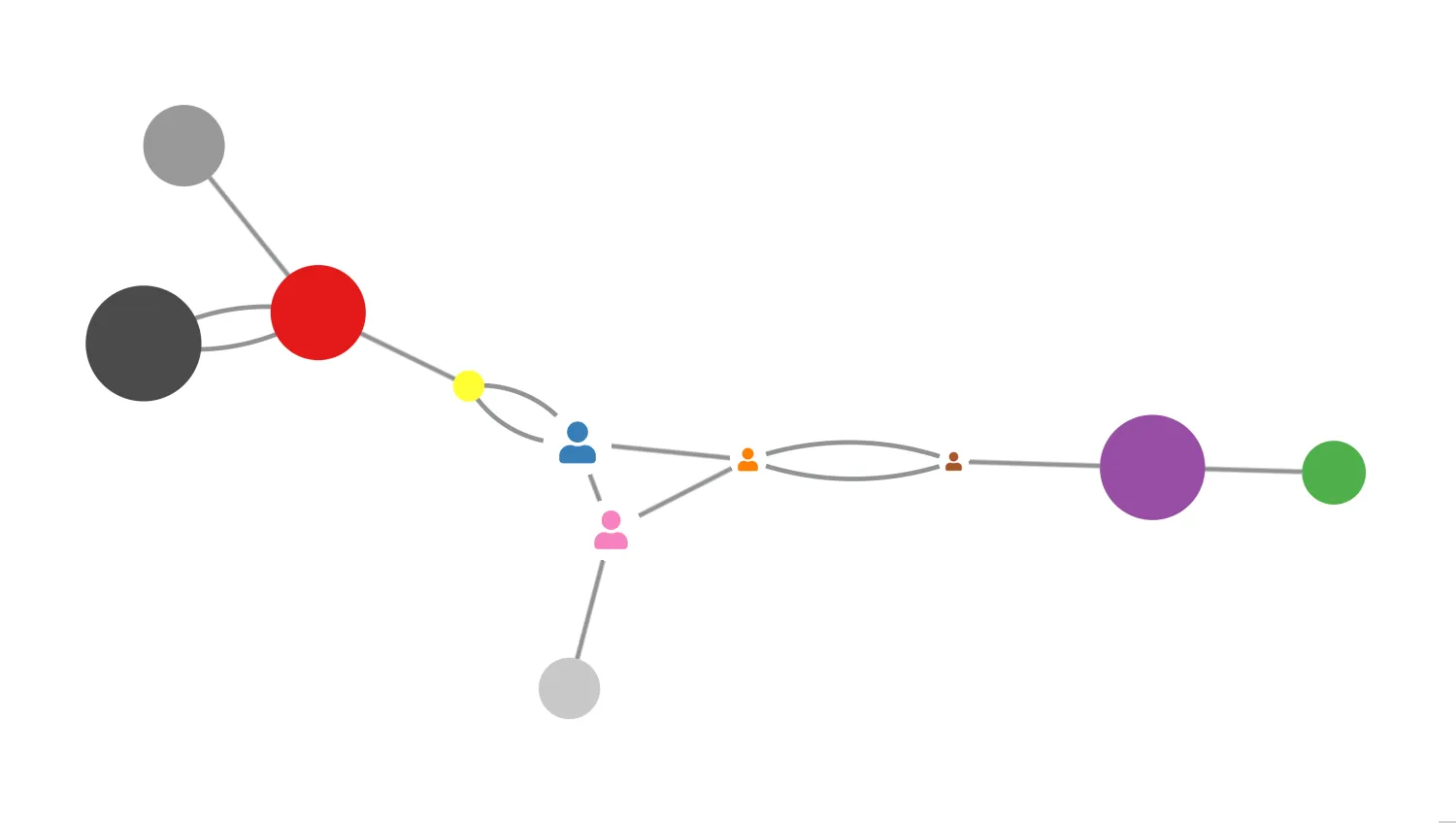
This demo shows some of the basic properties that can be animated to highlight items and draw users' attention.
The demo features animation of five different properties, although you can animate many more:
- Node enlargement
- Node position
- Link width
- Node and Font Icon colour
- Ping to add an animated effect to nodes and links
Animation is a powerful visual tool that lets your users highlight interesting items. For example, ping can be used to add an animated halo effect that could represent new or updated nodes.
For a real use-case example of animation, see the Social Network Analysis demo.
Key functions used:
import KeyLines from "keylines";

import data from "./data";

let chart;

const palette = [
  "rgb(166, 86, 40)",
  "rgb(247, 129, 191)",
  "rgb(55, 126, 184)",
  "rgb(255, 127, 0)",
  "rgb(77, 175, 74)",
  "rgb(228, 26, 28)",
  "rgb(152, 78, 163)",
  "rgb(255, 255, 51)",
  "rgb(153, 153, 153)",
  "rgb(75, 75, 75)",
  "rgb(200, 200, 200)",
];

const numberOfNodes = 11;
const interval = 1000;
const delta = 50;
let nextPing = 0;

// Return a random integer from 0 to n-1
function randInt(n) {
  return Math.floor(Math.random() * n);
}

// Animate properties depending on which checkboxes are checked
async function doAnimation() {
  const items = [];

  // Defining Buttons
  const animPos = document.getElementById("animpos").checked;
  const animSize = document.getElementById("animsize").checked;
  const nodeColour = document.getElementById("nodecolour").checked;
  const animWidth = document.getElementById("animwidth").checked;

  // Animate nodes
  if (animPos || animSize || nodeColour) {
    chart.each({ type: "node" }, (node) => {
      const item = { id: node.id };

      if (animPos) {
        item.x = node.x + randInt(2 * delta) - delta;
        item.y = node.y + randInt(2 * delta) - delta;
      }

      if (animSize) {
        item.e = (randInt(20) + 5) / 10;
      }

      if (nodeColour) {
        const newColour = palette[randInt(palette.length)];
        if (node.fi) {
          // set a random colour from the palette to the font icon node
          item.fi = { c: newColour };
        } else {
          item.c = newColour;
        }
      }

      items.push(item);
    });
  }

  // Animate links
  if (animWidth) {
    chart.each({ type: "link" }, (link) => {
      // We don't want the width of a link to be larger than the
      // Smallest width of the nodes it's linking
      const end1 = chart.getItem(link.id1);
      const end2 = chart.getItem(link.id2);
      const maxEnlargement = Math.min(end1.e, end2.e);
      items.push({
        id: link.id,
        w: randInt(maxEnlargement * 20) + 1,
      });
    });
  }

  await chart.animateProperties(items, { time: interval });
  // we call this function here so that it starts again once
  // the animation is complete
  doAnimation();
}

// Ping the next node in sequence
function doPing() {
  const id = `n${nextPing}`;

  const node = chart.getItem(id);

  // We make the halo colour match the node colour
  chart.ping(id, { c: node.fi ? node.fi.c : node.c });

  // Increment nextPing, wrapping to zero when we reach numberOfNodes
  nextPing = (nextPing + 1) % numberOfNodes;
}

function enableInteraction() {
  doAnimation();

  // Hook up the Ping button handler
  const pingButton = document.getElementById("ping");
  pingButton.addEventListener("click", () => {
    doPing();
  });
}

async function startKeyLines() {
  const options = {
    drag: {
      links: false,
    },
    logo: "/public/images/Logo.png",
    handMode: true,
    iconFontFamily: "Font Awesome 5 Free",
  };

  chart = await KeyLines.create({
    container: "klchart",
    options,
  });
  chart.load(data);
  chart.layout("organic", { animate: false, tightness: 2 });
  enableInteraction();
}

function loadKeyLines() {
  document.fonts.load('24px "Font Awesome 5 Free"').then(startKeyLines);
}

window.addEventListener("DOMContentLoaded", loadKeyLines);const data = {
type: "LinkChart",
items: [
{ type: "link", id: "l0", id1: "n7", id2: "n2", w: 5, off: 20 },
{ type: "link", id: "l1", id1: "n5", id2: "n8", w: 5, off: 0 },
{ type: "link", id: "l2", id1: "n3", id2: "n0", w: 5, off: 20 },
{ type: "link", id: "l3", id1: "n2", id2: "n7", w: 5, off: 20 },
{ type: "link", id: "l4", id1: "n10", id2: "n1", w: 5, off: 0 },
{ type: "link", id: "l5", id1: "n0", id2: "n6", w: 5, off: 0 },
{ type: "link", id: "l6", id1: "n5", id2: "n9", w: 5, off: -20 },
{ type: "link", id: "l7", id1: "n3", id2: "n2", w: 5, off: 0 },
{ type: "link", id: "l8", id1: "n5", id2: "n9", w: 5, off: 20 },
{ type: "link", id: "l9", id1: "n6", id2: "n4", w: 5, off: 0 },
{ type: "link", id: "l10", id1: "n5", id2: "n7", w: 5, off: 0 },
{ type: "link", id: "l11", id1: "n3", id2: "n1", w: 5, off: 0 },
{ type: "link", id: "l12", id1: "n2", id2: "n1", w: 5, off: 0 },
{ type: "link", id: "l13", id1: "n0", id2: "n3", w: 5, off: 20 },
{
type: "node",
id: "n0",
fi: { t: "fas fa-user", c: "rgb(166, 86, 40)" },
x: 199.68822039291624,
y: -68.48786200304697,
e: 0.9,
},
{
type: "node",
id: "n1",
fi: { t: "fas fa-user", c: "rgb(247, 129, 191)" },
x: -104.85690063748247,
y: -229.72194829802464,
e: 0.5,
},
{
type: "node",
id: "n2",
fi: { t: "fas fa-user", c: "rgb(55, 126, 184)" },
x: -139.4568292374141,
y: -56.60726721278092,
e: 0.5,
},
{
type: "node",
id: "n3",
fi: { t: "fas fa-user", c: "rgb(255, 127, 0)" },
x: 30.100885642289654,
y: -118.48969926461295,
e: 1.9,
},
{
type: "node",
id: "n4",
c: "rgb(77, 175, 74)",
x: 482.30308923740245,
y: 15.8044586733037,
e: 0.9,
},
{
type: "node",
id: "n5",
c: "rgb(228, 26, 28)",
x: -337.0352668368565,
y: 238.39410893883604,
e: 1.2,
},
{
type: "node",
id: "n6",
c: "rgb(152, 78, 163)",
x: 337.9793837951987,
y: 13.017348951037064,
e: 2,
},
{
type: "node",
id: "n7",
c: "rgb(255, 255, 51)",
x: -252.58661303769622,
y: 81.66355385446778,
e: 0.8,
},
{
type: "node",
id: "n8",
c: "rgb(153, 153, 153)",
x: -482.30308923740245,
y: 298.2763517671615,
e: 1.9,
},
{
type: "node",
id: "n9",
c: "rgb(75, 75, 75)",
x: -272.2547552060172,
y: 382.28825660272616,
e: 1.2,
},
{
type: "node",
id: "n10",
c: "rgb(200, 200, 200)",
x: -145.46560383306766,
y: -382.28825660272616,
e: 2,
},
],
};
export default data;<!doctype html>
<html lang="en">
<head>
<meta charset="utf-8">
<title>Animate Items</title>
<link rel="stylesheet" type="text/css" href="@ci/theme/kl/css/keylines.css">
<link
rel="stylesheet"
type="text/css"
href="@ci/theme/kl/css/minimalsdk.css"
>
<link
rel="stylesheet"
type="text/css"
href="@ci/theme/kl/css/sdk-layout.css"
>
<link rel="stylesheet" type="text/css" href="@ci/theme/kl/css/demo.css">
<link
rel="stylesheet"
type="text/css"
href="@ci/theme/kl/css/examples-chrome.css"
>
<link
rel="stylesheet"
type="text/css"
href="@fortawesome/[email protected]/css/fontawesome.css"
>
<link
rel="stylesheet"
type="text/css"
href="@fortawesome/[email protected]/css/solid.css"
>
</head>
<body>
<div class="chart-wrapper demo-cols">
<div id="lhs" class="flex1">
<div
id="lhsVisual"
class="toggle-content is-visible"
style="width: 100%; height: 100%"
>
<div id="klchart" class="klchart"></div>
</div>
</div>
<div class="rhs citext" id="demorhscontent">
<div class="tab-content-panel">
<div id="controlsTab" class="toggle-content is-visible tabcontent">
<p>Choose the properties to animate.</p>
<form id="rhsForm" autocomplete="off" onsubmit="return false;">
<div class="cicontent">
<fieldset>
<label class="checkbox"
><input id="animsize" type="checkbox" checked="true">Node
enlargement</label
><label class="checkbox"
><input id="animpos" type="checkbox">Node position</label
><label class="checkbox"
><input id="animwidth" type="checkbox">Link width</label
><label class="checkbox"
><input id="nodecolour" type="checkbox">Node colour</label
>
</fieldset>
<fieldset>
<div class="form-inline">
<input
class="btn btn-spaced"
type="button"
value="Ping"
id="ping"
>
</div>
</fieldset>
</div>
</form>
</div>
</div>
</div>
</div>
<script type="module" src="./code.js"></script>
</body>
</html>